

IT Support for Accounting Firms in San Diego: QuickBooks Desktop, Sage and Your Office Server
Most accounting offices still run their books on a server in the back room: QuickBooks Desktop company files in multi-user mode, Sage, tax and document software, all shared across the office. When that server slows down or a company file will not open, nobody can work, and in tax season that costs real money. TechiT Services provides IT support for accounting firms, CPAs, bookkeepers and business finance teams in San Diego: onsite at your office and remote when that is faster.
Most firms put us on a managed IT plan so monitoring, patching, backups and help desk are handled for a flat monthly rate. Smaller offices use hourly support or an IT support retainer.
IT Support Built Around the Books
The problems below are the ones San Diego accounting offices bring to us most often. Each card links to the service behind it.
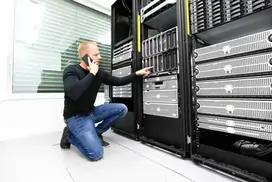
QuickBooks Desktop and Sage on your server
Multi-user hosting, the QuickBooks Database Server Manager, shared company-file folders and permissions set up correctly, plus the version upgrades and server moves that come with them.
Managed IT services →
A help desk for the busy season
Company files that will not open, multi-user errors, printer and email problems handled in a remote session, so deadlines are not lost to IT.
IT support and help desk →
Workstations, scanners and printers
Staff PCs, dual monitors, document scanners and check printers set up, secured and kept working, with visits scheduled around client meetings.
Computer support →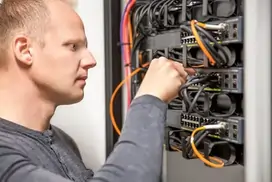
Secure remote access to the office server
VPN or remote desktop so staff can work in QuickBooks, Sage and the file server from home without exposing the server to the internet.
Network services →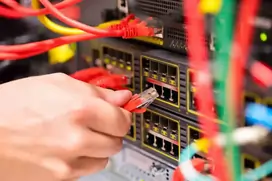
Microsoft 365 for accounting firms
Email, Teams, SharePoint and OneDrive with multi-factor authentication and protected sharing, so tax documents are not sent as plain email attachments.
Microsoft consulting →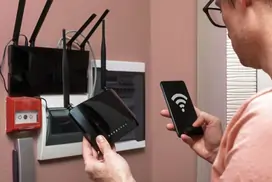
Office Wi-Fi for staff and clients
Reliable coverage for the office and conference rooms, with a guest network that keeps client devices away from the server.
Wi-Fi and network services →Protecting Client Financial Data
- Backups of the company files you can restoreThe server, QuickBooks and Sage data, the file shares and Microsoft 365 backed up off-site with tested restores, so a crashed server or a ransomware incident does not lose a year of client books.
- Monitored, patched, encrypted devicesThe server and every workstation kept on current patches, encrypted and watched by monitoring tools, so a failing drive is replaced before it takes the company files down.
- Safeguards your firm has to documentMulti-factor authentication, named user accounts, access reviews and the technical details for your written information security plan (WISP); the plan and compliance stay with the firm.
- Vendors handled for youIntuit, Sage, tax software, printer and internet vendors each point at the network when something fails. We coordinate with them so your staff is not the go-between.

Onsite at Your Office, Remote When It Is Faster
Most everyday issues are fixed in a secure remote session. When hands-on work is needed, a technician comes to your office at a time that does not interrupt client work.
Onsite visits
Server and workstation installs, network and Wi-Fi work, office moves and new-office setups.
Onsite IT technicians →Remote help desk
Secure remote sessions for QuickBooks, Sage, Microsoft 365, email and user problems, anywhere in San Diego County.
Remote support →Monitoring and maintenance
Monitoring tools watch the server, backups and endpoints around the clock; technicians act on alerts in business hours, with critical issues handled first.
Managed IT services →Accounting and Finance Teams We Support in San Diego
Whether it is a two-person bookkeeping office or a CPA firm with its own server room, the needs are the same: the books available, client data protected and nothing lost in tax season.
Start with a review of your office IT
- Phone
- (619) 764-6150
- info@techit-services.com
- Hours
- Monday to Friday, 8:00 AM to 5:00 PM
- Where
- Onsite across San Diego County, remote anywhere. Offices in La Jolla / UTC, Downtown and La Mesa for meetings.
- Have ready: how many staff and workstations you have, which QuickBooks, Sage or tax software versions you run, and what is not working.
- You get a plain-language summary of risks and options and a quote for the first step.
Are you ready to solve your IT problems? Contact us Today!
Accounting Firm IT Support, Answered
How much does IT support for an accounting firm cost in San Diego?
It depends on the number of staff, workstations and servers and on what you want covered. Managed IT plans are a flat monthly rate sized to your firm, and hourly support and retainers are available for offices that need help occasionally. The quote is agreed before work starts.
Do you support QuickBooks Desktop in multi-user mode?
Yes. We set up and maintain QuickBooks Desktop hosting on your office server: the Database Server Manager, folder permissions, multi-user access, backups of the company files and the upgrades and server moves that come with new versions.
Do we have to move to the cloud?
No. If your firm wants to keep QuickBooks Desktop, Sage and its files on a server in the office, we support that, add secure remote access for staff working from home and back it up off-site. If you decide to move later, we help plan it.
Can you help with our written information security plan?
We supply and implement the technical side: multi-factor authentication, encryption, backups, patching, access control and an inventory of systems, and we document it for your plan. The plan itself and compliance remain the firm's responsibility.
How do we get started?
Call (619) 764-6150 or use the form on this page. We talk through your office, review the current setup, then propose a plan and a quote for the first step.
Keep your books available and protected
Business hours are Monday to Friday, 8:00 AM to 5:00 PM. Call, or send a message and we will get back to you.
(619) 764-6150