

Backup and Disaster Recovery Services in San Diego
Servers fail, ransomware gets in, a water leak takes out the rack, the internet goes down for a day. Business continuity and disaster recovery (BCDR) is the plan and the equipment that keeps your business working when it happens: local backups that can be booted as virtual servers, copies replicated offsite, and a failover internet connection so the office stays online.
We design, install and monitor BCDR for San Diego businesses from El Cajon and La Mesa to Downtown and La Jolla, on its own or as part of our managed IT services.
Protect Your Business Applications Infrastructure
Our business site protection and disaster recovery solutions remove the risk of data ransoms and the lost productivity that follows software outages and server failures.

Your data is valuable
Every protected server and workstation is backed up to an encrypted local appliance and replicated to geo-redundant data center storage, so one event cannot take both copies.
Cybersecurity services →
High availability
Is your server down? Protected devices, their applications and data can be virtualized instantly, locally or in the cloud, so your team keeps working while the hardware is dealt with.
Network services →
Flat rates
Pricing is a flat monthly rate per protected system and site, agreed before installation, so protecting your critical systems is a known cost rather than an insurance gamble.
Managed IT services →Backup Continuity and Disaster Recovery
Business data networks run every day of the year, systems run around the clock and files are used in real time. Keeping operations and data safe from every kind of disaster has to be done proactively, which is what our hybrid-cloud BCDR software and appliances are built for.
With a business disaster recovery plan in place, your site infrastructure stays up and running through a failure or outage. A protected server is booted from its latest backup as a virtual machine, locally or in the cloud, so work continues while the hardware is replaced, and you avoid the lost productivity, revenue and reputation that come with days or weeks of downtime.
Internet and network continuity
- Internet service provider outages happen all the time; a network continuity appliance with LTE failover keeps the office online
- Site-to-site compatibility for businesses with more than one location
- Deep packet inspection and robust networking on the same appliance
Want to learn more about backup internet? Ask for an assessment through the form on this page.
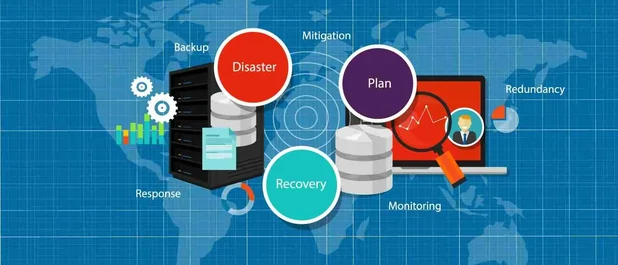
How Our BCDR Protection Works
Four layers, each one covering the failure of the layer before it.
Local snapshots
An onsite appliance takes frequent image-based snapshots of servers and workstations and stores them on encrypted local hardware.
Offsite replication
Snapshots are replicated to geo-redundant data center storage, so a fire, flood, theft or ransomware event at the office does not take the backups with it.
Instant virtualization
When a protected system fails, it is booted as a virtual machine from the latest snapshot, on the local appliance or in the cloud, and users carry on working.
Monitoring and tested restores
Backup jobs are monitored by tools around the clock and checked by technicians in business hours, and restores are tested so the day you need them is not the first time they run.
What the Appliances Provide
Two appliances, one plan: the data appliance protects systems and files, the network appliance keeps the site connected.
Data BCDR protection appliance
- Local onsite instant virtualization
- Offsite cloud virtualization
- Encrypted local hardware and storage
- Local and cloud volume snapshots
- Backup retention with versioning
- Geo-redundant data center storage
Network continuity appliance
- Backup LTE failover internet
- Robust networking capabilities
- Site-to-site compatibility
- Deep packet inspection (DPI)
- Monitoring of the primary connection
- Automatic failback when the line returns
Backup, Disaster Recovery, or Business Continuity
The three terms get used interchangeably. They are three different questions, and a good plan answers all of them.
Backup
A copy of your data you can restore from. Necessary, but a copy alone does not get a failed server running again or keep the office online.
Computer and server support →Disaster recovery
Getting systems back after they fail: virtualizing the server from its snapshot, rebuilding hardware, restoring Microsoft 365. Measured in how much work you lose and how long you are down.
Request an assessment →Business continuity
Keeping the business working during the outage: failover internet, remote access, a plan people have actually rehearsed. Where IT meets the rest of the company.
Managed IT services →Find out what you would lose, before you lose it
- Phone
- (619) 764-6150
- info@techit-services.com
- Hours
- Monday to Friday, 8:00 AM to 5:00 PM
- Where
- Onsite across San Diego County, remote anywhere. Offices in La Jolla / UTC, Downtown and La Mesa for meetings.
- Have ready: the servers and systems your business depends on, where your backups go today, and the last time a restore was tested.
- You get a plain-language assessment and a quote for a protection plan.
Are you ready to solve your IT problems? Contact us Today!
Backup and Disaster Recovery, Answered
What is BCDR?
Business continuity and disaster recovery: the combination of backups, the ability to run systems from those backups, and the planning that keeps the business working during an outage. Our solution covers all three with a data appliance, offsite replication and a network continuity appliance.
Is cloud backup alone enough?
Cloud backup protects the data, but restoring a whole server from the cloud is slow and does not keep the office online. A local appliance gives you fast restores and instant virtualization; the cloud copy is what saves you if the office itself is lost. We use both.
How often are backups taken?
Snapshots can run many times a day. The schedule is set per system to match how much work you can afford to lose, and we review it with you.
Does this protect against ransomware?
Backups held on the appliance and replicated offsite are a separate copy that an attacker on your network cannot simply encrypt. Combined with endpoint protection and multi-factor authentication, it is the recovery path if an attack gets through.
Do you serve El Cajon and East County?
Yes. We install and support BCDR across San Diego County, including El Cajon, La Mesa, Santee and the rest of East County, with remote monitoring from anywhere.
How do we get started?
Call (619) 764-6150 or use the form on this page. We look at the systems you depend on and where your backups go today, then quote a protection plan.
Protect your systems before you need to
Business hours are Monday to Friday, 8:00 AM to 5:00 PM. Call, or send a message and we will get back to you.
(619) 764-6150